
Core Web Vitals are a set of performance metrics created to measure how real users experience a website. These metrics help website owners understand how fast their pages load, how quickly users can interact with the page, and how stable the layout feels during browsing. When these metrics are strong, users enjoy smooth navigation and fast performance, which encourages them to stay longer and engage more. When these metrics are weak, users often leave early, which lowers engagement and reduces search visibility.
Search engines now use Core Web Vitals as important ranking factors. This means websites with strong performance in speed, stability, and interactivity have a better chance of appearing higher in search results. Because of this, Core Web Vitals have become an important part of modern search engine optimization strategies.
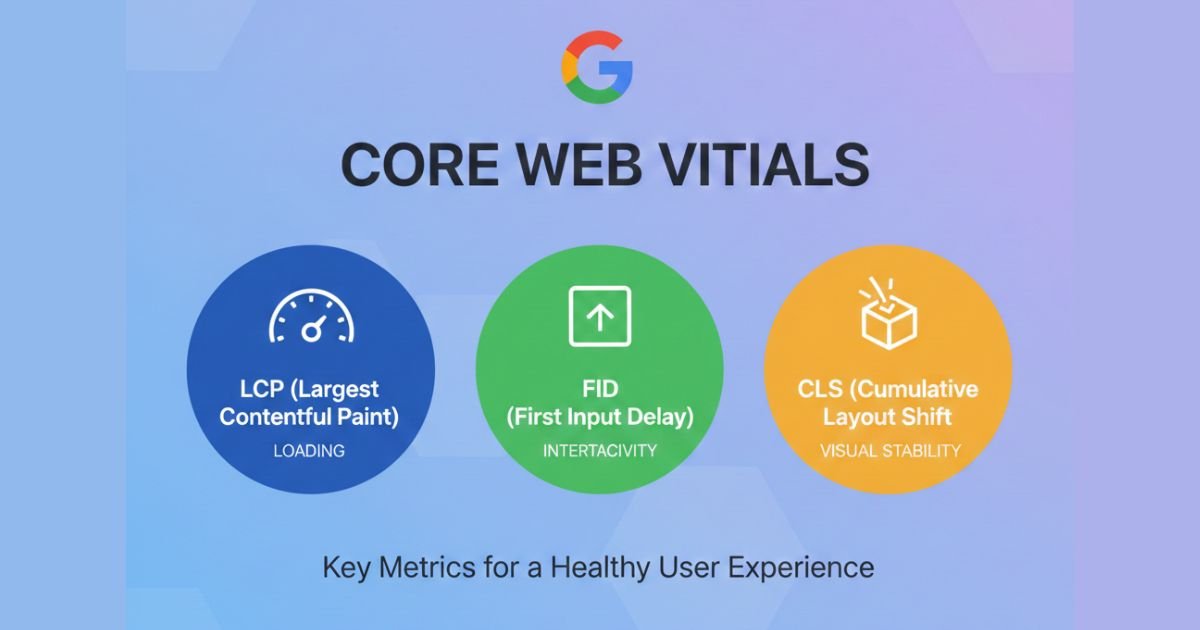
Core Web Vitals focus on three main areas of user experience. These include loading performance, visual stability, and responsiveness. Google uses these metrics to evaluate whether a page loads fast enough, whether the layout shifts unnecessarily, and whether users can interact smoothly without delay. When a website performs well in these areas, users enjoy a more comfortable experience, and search engines reward the site with better visibility.
The loading experience is measured through the Largest Contentful Paint metric. This value determines how long it takes for the main content to become visible on the screen. A slow LCP score means users are waiting for important content to appear, which can create frustration and increase the chance of them leaving. Improving this score requires proper image optimization, strong server performance, and reduced render blocking resources.
Interactivity is measured through the Interaction to Next Paint metric. This metric focuses on how fast a webpage reacts when a user taps, clicks, or interacts with an element. If a page delays before responding, it can create confusion and reduce trust. Improving this score requires reducing JavaScript execution time, removing unnecessary scripts, and ensuring that the main thread is not overloaded with tasks.
Visual stability is measured through the Cumulative Layout Shift metric. This value shows how much elements on the page move while loading. When text or images shift unexpectedly, users may click the wrong element or lose their reading position. Fixing this issue requires setting image dimensions, managing dynamic content carefully, and making sure fonts load smoothly without disrupting the layout.
Core Web Vitals help improve user experience, but they also influence how search engines evaluate a website. Google has clearly stated that these metrics are part of its ranking system. A site that loads fast, responds smoothly, and maintains stable visual structure stands out as a high quality resource. This improves its chances of reaching a wider audience and increasing organic traffic.
Many businesses use Core Web Vitals optimization as part of their search engine optimization efforts. Improving metrics such as LCP, INP, and CLS helps strengthen both performance and ranking. When combined with strong content and effective on page optimization, these improvements create a more powerful online presence. This is why Core Web Vitals for SEO have become an important focus for companies that want to stay competitive.
Google provides several tools to help measure performance. Tools such as PageSpeed Insights, Lighthouse, and the Web Vitals Chrome extension help identify weaknesses and offer suggestions. These tools also show real user data, which helps website owners understand how the site behaves in different situations. Regular monitoring also helps maintain performance over time.
Core Web Vitals are part of a broader performance strategy. They connect with other metrics such as First Contentful Paint, Time to First Byte, and Speed Index. When all performance signals work together, a website becomes smoother, faster, and more reliable. This strengthens user experience and supports long term growth.
Modern websites need to focus on Core Web Vitals because users expect fast and stable browsing. Long delays, unstable layouts, and slow reactions no longer match user expectations. When a site performs poorly, people often leave and choose faster alternatives. This affects traffic, engagement, and conversions.
Improving Core Web Vitals is not only about technical changes. It also involves understanding user behavior and creating an experience that feels natural and comfortable. When users enjoy the flow of a page, they explore more content and interact with important elements. This increases session time and helps build trust with the audience.
Whether someone is running a blog, an online store, or a business site, Core Web Vitals play an important role in overall success. These metrics provide a clear direction for improving performance and ensuring a reliable user experience. When applied correctly, they support stronger search visibility and better engagement results.
Types of Core Web Vitals
Core Web Vitals contain three important performance metrics that show how quickly a page loads, how stable it feels, and how fast it responds to user actions. These three elements guide website owners in understanding whether their site offers a smooth experience or if improvements are needed. These metrics include Largest Contentful Paint, Interaction to Next Paint, and Cumulative Layout Shift. Together they create a strong foundation for user experience and serve as important signals for search engine optimization. When these metrics meet recommended values, visitors enjoy a smoother experience and search engines view the site as more user friendly.
Improving these three metrics is important for every business that depends on organic traffic and consistent ranking performance. These values highlight real user experience instead of synthetic performance scores. Because of this, they have become a strong part of website optimization and modern search engine optimization practices. Each metric focuses on a different aspect of performance and helps identify specific weaknesses that may affect user satisfaction.
Largest Contentful Paint LCP
Largest Contentful Paint measures how long it takes for the main content to appear on the screen. Users expect a webpage to load quickly because speed plays a strong role in creating trust and reducing frustration. LCP focuses on the element that takes up the most visible space on the screen. This element can be an image, banner, text block, or video thumbnail. When this element loads quickly, users feel that the site is fast and ready to use.
A slow LCP score can create a negative first impression. When important content appears late, people often leave the page before taking any action. This affects engagement, conversions, and overall search engine visibility. A strong LCP score usually requires proper image optimization, high quality hosting, browser caching, and fewer render blocking resources. Reducing unnecessary scripts and optimizing above the fold content also help improve performance.
Businesses that rely on search engine optimization often focus on improving LCP because it influences how search engines evaluate loading performance. A fast loading experience encourages higher user engagement and reduces bounce rate. This makes it easier for websites to rank for competitive keywords and maintain stronger visibility. Tools like PageSpeed Insights and Lighthouse help identify which elements delay rendering and show how LCP can be improved.
Interaction to Next Paint INP
Interaction to Next Paint measures how quickly a page responds when a user interacts with it. This includes clicks, taps, and keyboard inputs. A smooth interaction experience creates confidence and helps users explore content without frustration. INP focuses on the delay between the action taken by the user and the moment the browser updates the screen. A high INP score means users wait too long for a response, which affects usability.
A slow interaction experience often occurs when JavaScript takes too long to process tasks. Heavy scripts, unnecessary libraries, and overloaded main threads are common causes. When a site reacts slowly, users feel confused and may leave before completing actions such as filling forms or navigating menus. Improving INP requires minimizing JavaScript execution time, removing unused code, and reducing main thread blocking tasks.
Search engines consider interaction performance an important part of user experience. Websites that respond smoothly often achieve better engagement and higher satisfaction levels. This leads to stronger behavioral signals which influence search engine optimization results. Improving INP is especially important for sites with forms, menus, and interactive features. Regular performance audits help maintain optimal response times and reduce delays caused by excessive processing.
Cumulative Layout Shift CLS
Cumulative Layout Shift measures how much elements on the page move while loading. Unexpected movement can irritate users and cause them to click on the wrong link or lose reading position. CLS focuses on visual stability and checks whether a page layout stays steady while content loads. If images, ads, or fonts shift suddenly, users experience discomfort and may feel the page is unreliable.
A strong CLS score is important for maintaining user trust. Websites that move elements around create frustration because users struggle to interact with stable content. Solving layout shift issues usually requires setting width and height for images, reserving space for dynamic content, and ensuring fonts load smoothly. Elements that load late should be handled carefully to prevent movement that disrupts the layout.
Good visual stability also affects search engine performance. Search engines prefer pages that feel stable and offer predictable experiences. A low CLS score improves usability which supports better engagement and reduces bounce rates. Many websites combine technical search engine optimization practices with layout improvements to maintain long term stability. Tools like Lighthouse and Chrome DevTools help locate sources of layout shifts and provide suggestions to fix them.
What Metrics Does Google Include in Core Web Vitals?
Google uses specific performance metrics to evaluate how smoothly a website loads, reacts, and behaves for users. These metrics help determine overall page experience, which strongly affects search visibility and rankings. Core Web Vitals focus on three main areas that reflect real user behavior. These include how fast the primary content appears, how quickly users can interact with the page, and how stable the layout remains during loading. These metrics are essential for improving website optimization services, technical SEO, and overall engagement.
When your website meets recommended performance thresholds, it sends strong quality signals that support better results in search engines. To stay competitive, every website should monitor these metrics regularly and take steps to optimize them using proper technical SEO services and performance enhancements.
Why Are Core Web Vitals Important?
Core Web Vitals play a major role in shaping user experience and search engine performance, and when these metrics are fully optimized, visitors enjoy faster loading, smoother interactions, and stable page layouts. As a result, engagement increases, bounce rate drops, and conversions improve. Since Google uses these signals to judge overall page experience, strong performance can support higher visibility in search results. Moreover, brands that invest in technical SEO services and website optimization services gain a competitive advantage because their pages load smoothly on all devices.
These enhancements help build trust, encourage longer sessions, and create stronger connections with visitors. For long term success, it is essential to maintain these performance standards across every page.
HTTPS
HTTPS ensures secure communication between the browser and server. A secure connection protects user data and increases trust for people interacting with the site. Google favors secure websites in search results because they offer a safer browsing experience. Websites using HTTPS also avoid warnings that can drive visitors away. Keeping your site secure supports better rankings and strengthens credibility while supporting your professional SEO service strategy.
Mobile Friendliness
Mobile friendliness ensures your website displays and functions smoothly on smartphones and tablets. Since most users browse on mobile devices, a responsive layout is essential for strong engagement. When your site works well on smaller screens, users can read content easily, interact with features, and navigate without difficulty. Google prioritizes mobile performance, especially with mobile first indexing. Improving mobile friendliness supports stronger visibility and better results in competitive markets.
Lack of Interstitial Pop Ups
Pages overloaded with intrusive pop ups create frustration and disrupt user flow. Google considers excessive interstitials as a negative ranking signal because they block important content. Removing or reducing intrusive pop ups helps maintain smooth browsing and improves user satisfaction. Clear layouts with minimal interruptions help users stay focused on what they need. This leads to better engagement metrics, which support stronger performance in search engines.
Safe Browsing No Malware
Safe browsing ensures your website is free from harmful software, deceptive content, and unwanted redirects. Google evaluates websites for security risks and warns users when a site appears unsafe. Any malware infection can instantly damage trust and visibility. Keeping your site clean and protected helps maintain credibility and prevents ranking loss. Monitoring your safety status through tools like Google Search Console supports a stronger and more secure presence online.
Largest Contentful Paint LCP
LCP is one of the most important Core Web Vitals because it measures how quickly users see the main part of your page. When the largest visible element loads fast, visitors feel the website works smoothly. A strong LCP score supports better engagement, higher trust, and stronger results in search engines. Improving LCP is essential for technical SEO services and helps create a better performing website that loads efficiently on all devices.
How LCP Affects User Experience
LCP shapes the first moments of user interaction, and because it represents how quickly the main content becomes visible, any delay can immediately hurt engagement. When the main content appears slowly, users often lose interest quickly. Consequently, slow loading reduces trust and increases the chance of visitors leaving. On the other hand, a fast LCP provides a smooth start, keeps users engaged, and supports higher conversions. Additionally, it signals quality to search engines, making it easier to gain strong visibility.
Optimizing LCP for Faster Page Loads
Optimizing LCP requires addressing several key performance elements that influence how quickly the primary content appears. These improvements help create smoother interactions and support website optimization services. Below are the main factors that impact LCP and how to improve them.
Page Load Speed
Page load speed directly affects how fast the largest element appears. Faster servers, caching, and clean code improve loading time. When the server responds quickly, LCP performance improves and visitors enjoy a smoother experience.
Above the Fold Content
Above the fold content loads before everything else. Prioritizing essential elements in this area helps the browser display the main content faster. Keeping it lightweight improves user satisfaction and supports stronger performance.
Hero Image
Hero images often slow down LCP because they are large files. Compressing them, reducing file size, and using modern image formats make the content appear faster. Responsive images further improve loading on mobile devices.
Render Blocking Resources
Render blocking resources delay the display of visible content. Minimizing CSS files, deferring scripts, and optimizing third party code reduces delays. This allows the browser to show the main content sooner.
Image Optimization
Optimizing images reduces page weight and improves load times. Compressing images, choosing efficient formats, and applying lazy loading help the largest element appear quickly without overwhelming the browser.
Critical Rendering Path
The critical rendering path determines the steps needed to show visible content. Streamlining these processes by reducing unnecessary scripts and simplifying CSS improves LCP performance. Faster rendering creates a stronger first impression for visitors.
Common Issues Affecting LCP
Several factors can slow down Largest Contentful Paint and create a weak loading experience. These issues often appear when websites use heavy files, slow servers, or complex scripts that block rendering. Identifying these problems early helps improve performance and strengthens overall page experience. Solving LCP issues also supports technical SEO services and improves visibility in search engines. When the main content loads smoothly, users stay engaged and trust the website more. Below are the most common issues that affect LCP and how they influence page speed.
Slow Server Response
A slow server response delays the start of the loading process. When the server takes too long to deliver content, the largest element appears late. Faster hosting, caching, and optimized backend processes help reduce this delay. A strong server ensures smoother performance and faster user interactions.
Render Blocking Resources
Render blocking files like CSS and JavaScript prevent the browser from displaying visible content. These files must load before rendering can continue, which slows LCP. Minimizing blocking scripts, deferring non essential code, and optimizing CSS improves the speed of the first visible elements.
Large or Unoptimized Images
Large images are one of the biggest causes of slow LCP. Heavy files take extra time to download and process. Compressing images, using proper formats, and sizing them correctly helps the largest element load faster. Image optimization is essential for strong website optimization services.
Slow Resource Load Times
When important resources take too long to load, the browser cannot display the main content quickly. This includes fonts, CSS files, and key images. Reducing file sizes, enabling caching, and using CDNs help speed up resource loading and support better LCP performance.
Client Side Rendering
Client side rendering requires the browser to process JavaScript before showing content. This often delays LCP because the main element appears only after scripts finish. Using server side rendering or hybrid approaches helps display visible content sooner and reduces loading frustration.
Interaction to Next Paint INP
Interaction to Next Paint INP measures how quickly a page reacts when a user interacts with it. This metric focuses on the delay between an action and the next visual update. A smooth interaction creates a positive browsing experience and encourages users to stay longer. INP is an essential part of Core Web Vitals because it reflects how responsive your website feels. Improving INP supports technical SEO services, enhances usability, and helps your site perform better in competitive search results.
How INP Affects User Interactivity
INP directly influences how smooth and enjoyable your website feels. When interactions are slow, users experience frustration and may leave before exploring the content. Fast responses create a natural flow and support stronger engagement. A good INP score improves satisfaction, helps conversions, and builds trust.
Optimizing INP for Faster Interactions
Optimizing INP requires reducing delays caused by scripts, heavy tasks, and slow event handling. Improving this metric helps create a seamless experience for users and supports better performance in search results. Below are the key related factors that influence INP.
First Input Delay FID
FID measures the delay between a user’s first action and the browser’s response. Although INP replaced FID as the main interaction metric, understanding FID helps identify early responsiveness issues. Reducing heavy JavaScript tasks improves both metrics.
Main Thread
The main thread handles tasks like rendering, JavaScript execution, and user events. When it becomes overloaded, interactions slow down. Reducing main thread work improves INP and ensures faster reactions to user actions.
User Engagement
Smooth interactivity improves user engagement by making the website feel responsive and reliable. Fast interactions help users explore content freely, supporting better results from website optimization services.
JavaScript Execution Time
Heavy JavaScript slows down interactions because the browser cannot respond until scripts finish running. Reducing execution time improves INP and strengthens overall performance.
Event Handling
Event handling determines how quickly the browser reacts to actions like clicks or taps. Efficient event listeners and optimized code reduce delays and create smoother interactions.
Async JavaScript
Using async JavaScript prevents scripts from blocking other important tasks. Loading scripts asynchronously helps the browser respond faster, which improves INP and enhances user experience.
Factors Affecting INP
Several factors influence how quickly a website responds to user interactions. When these elements are not optimized, the delay between a user action and the next visual update becomes noticeable. This slow reaction weakens engagement, reduces satisfaction, and hurts overall page performance. Understanding these factors is essential for improving technical SEO and creating a smooth browsing experience. By reducing heavy tasks, improving code efficiency, and keeping the main thread free, websites can achieve a low INP score and stronger user trust.
JavaScript Running on Main Thread
JavaScript tasks that run on the main thread often create delays because the browser cannot process interactions until these tasks finish. Heavy scripts, complex frameworks, or long running functions block the main thread and prevent instant responses. Reducing script size, splitting long tasks, and optimizing execution help improve INP. When the main thread remains clear, interactions feel faster and more natural for users.
Layout Thrashing
Layout thrashing happens when the browser repeatedly recalculates layout and style due to rapid DOM changes. Frequent updates force the browser to re render elements, slowing interactions and hurting INP performance. Minimizing unnecessary layout changes and batching updates help reduce this issue. When the layout remains stable, the browser responds faster to user actions, creating a smoother and more consistent experience.
Cumulative Layout Shift CLS
Cumulative Layout Shift CLS measures how stable a webpage remains as it loads. When elements move unexpectedly, users experience visual disruption that can lead to accidental clicks and frustration. CLS helps determine how smoothly a page maintains its layout during loading. A low CLS score means your layout is stable, predictable, and user friendly. Improving CLS is essential for technical SEO services, better usability, and stronger performance across all devices.
How CLS Affects Visual Stability
Visual stability shapes how comfortable users feel when interacting with your site. If text moves, buttons jump, or images shift, users struggle to read or click properly. These disruptions reduce trust and lead to a poor experience. A stable layout improves readability, increases engagement, and supports stronger performance in search results.
Optimizing CLS for a Stable Layout
Optimizing CLS focuses on preventing unexpected movement during loading. By reserving space for elements and loading content in predictable ways, you avoid sudden jumps. These improvements support better website optimization services and help create a smoother browsing experience.
Flash of Invisible Text FOIT
FOIT occurs when the browser hides text while waiting for a custom font to load. This can shift layout positions once the font appears. Preloading fonts helps prevent this issue.
Flash of Unstyled Text FOUT
FOUT happens when the browser displays fallback text before switching to the custom font. This switch can cause layout movement. Using proper font loading strategies reduces FOUT and improves stability.
Dynamic Content
Dynamic content appears after the page starts loading. If no space is reserved, it pushes other elements and causes layout shifts. Reserving space helps maintain stability.
Font Loading
Fonts can delay layout rendering. When they load late, text reflows and shifts the layout. Preloading fonts creates smoother and more predictable content display.
Layout Shifts
Layout shifts are unexpected movements of visible elements. Reducing these shifts improves visual stability and helps maintain a strong CLS score.
Element Positioning
Correct element positioning ensures content remains stable as the page loads. When elements are anchored properly, the layout stays consistent and user friendly.
Common Causes of CLS
Several common issues create layout movement during the loading process. These problems usually occur when elements load without defined space or when dynamic components appear late. Identifying these causes helps improve visual stability and creates a smoother user experience. Fixing these issues supports professional SEO service strategies and strengthens overall page quality.
Images Without Dimensions
Images that load without width and height attributes cause sudden shifts. The browser does not know how much space to reserve until the image loads. Adding fixed dimensions prevents movement and improves CLS.
Ads and Embeds
Ads, videos, and embedded content often load late and push existing elements. If no space is reserved, large shifts occur. Setting fixed containers for ads and embeds helps maintain layout consistency.
Font Loading FOIT FOUT
Late font loading changes text size and spacing, causing layout movements. Preloading fonts and using modern font display strategies help prevent these shifts and improve stability.
Dynamically Injected Content
Dynamic elements like banners, notifications, or pop ups often appear after the main content loads. If they push visible elements, CLS increases. Adding reserved space or loading them in controlled positions helps avoid sudden movement.
Core Web Vitals Score and Range Overview
Core Web Vitals help Google measure real-world user experience across speed, responsiveness, and visual stability. These metrics show whether your website delivers a smooth and fast browsing experience. Understanding each metric and its scoring range is essential for improving performance and ensuring users stay engaged. The table below breaks down the good, needs improvement, and poor score ranges for the three main Core Web Vitals: Largest Contentful Paint, Interaction to Next Paint, and Cumulative Layout Shift.
| Metric | Good | Needs Improvement | Poor |
|---|---|---|---|
| LCP (Largest Contentful Paint) | ≤ 2.5s | 2.5s – 4s | > 4s |
| INP (Interaction to Next Paint) | ≤ 200ms | 200ms – 500ms | > 500ms |
| CLS (Cumulative Layout Shift) | ≤ 0.1 | 0.1 – 0.25 | > 0.25 |
Website Speed Index KPI Definition Formula and Tips
Website Speed Index measures how quickly above the fold content becomes visually complete. It focuses on how fast users can see meaningful content rather than only measuring load time. A lower Speed Index score means the page visually loads faster, creating a smoother experience. This metric is important for technical SEO, website optimization services, and overall user satisfaction. Improving Speed Index helps reduce bounce rates and increases engagement because users can view important content almost instantly. Understanding the formula and knowing the right optimization steps can significantly strengthen website performance.
Speed Index Formula
The Speed Index formula evaluates the visual progress of the page as it loads. It calculates how long it takes for visible elements above the fold to display fully. While the exact calculation is handled by performance tools, the concept remains simple. The metric tracks visual completeness over time and assigns a score based on how quickly the page becomes viewable. Lower numbers reflect strong performance and fast rendering. High numbers suggest delays caused by heavy resources, slow servers, or rendering issues. This makes Speed Index a valuable performance KPI for improving visibility and user experience.
Tips for Improving Speed Index
Improving Speed Index requires optimizing loading behavior, reducing heavy resources, and ensuring faster rendering. The goal is to deliver visible content quickly so users can interact without waiting. Below are the most effective strategies.
Optimize Above the Fold Content
Keeping above the fold content lightweight helps the page appear faster. Reducing unnecessary elements and simplifying design improves visual loading speed.
Use Efficient Image Formats
Images often delay visual progress. Using compressed formats and responsive images ensures faster display and improved Speed Index performance.
Minify CSS and JavaScript
Removing unnecessary code reduces file size and speeds up rendering. Minified files load quickly and help the browser complete visual content sooner.
Reduce Render Blocking Resources
CSS and JavaScript files that block rendering slow down Speed Index. Loading scripts asynchronously and optimizing CSS allows the page to display visible elements faster.
Improve Server Response Time
Fast server response helps load initial content sooner. Using caching, CDNs, and optimized hosting improves visual completeness and enhances performance metrics.
Prioritize Critical Rendering Path
Focusing on essential elements first helps the browser complete visual loading without delays. Streamlining the critical rendering path improves Speed Index and strengthens page quality.
Understanding Time to First Byte TTFB
Time to First Byte TTFB measures how quickly a server responds when a browser requests a webpage. It reflects the delay before the first byte of data reaches the user. A fast TTFB shows that the server and network are performing well, while a slow TTFB signals backend issues that affect loading speed. This metric is important for technical SEO, server optimization, and overall website performance. When TTFB is optimized, users experience faster loading and stronger engagement, which supports better visibility in search results.
How TTFB Affects Page Performance
TTFB has a direct impact on loading speed and user experience. If the server responds slowly, every loading step begins late. This slows down LCP, delays interactivity, and creates a slow start for the user. A fast TTFB helps the page load quickly, improves engagement, and reduces early drop offs. Strong TTFB also supports better website optimization services and helps websites meet Core Web Vitals standards.
Common Causes of High TTFB
High TTFB often results from server and network issues. As a consequence, these problems delay the first step of the loading process and make the entire page feel slower. Moreover, common causes include overloaded servers, slow hosting, unoptimized database queries, poor caching, and geographic distance between users and the server. By identifying these issues, you can improve performance and create a smoother loading experience.
Improving TTFB Best Practices
Improving TTFB requires strengthening backend performance and reducing delays in server processing. These practices help the server respond quickly and provide users with fast initial loading.
Use Caching Effectively
Caching stores frequently accessed data so the server can deliver responses faster. Proper caching reduces processing time and improves TTFB.
Upgrade Hosting
Powerful hosting options such as VPS or dedicated servers handle requests quickly. Better hosting improves server speed and reduces delays.
Optimize Database Queries
Slow or unoptimized database queries increase TTFB. Cleaning queries and reducing unnecessary requests help speed up responses.
Reduce Server Load
Too many tasks running on the server slow down processing. Reducing server load or balancing traffic helps maintain fast response times.
Use a CDN
A Content Delivery Network distributes content across multiple locations. This reduces distance between users and servers, improving TTFB and overall performance.
Server Response Time
Server response time measures how quickly the server processes a request. Faster processing helps reduce TTFB and improve loading performance.
DNS Lookup Time
DNS lookup time measures how long it takes to locate the server. Slow DNS increases TTFB, so using fast DNS providers helps improve performance.
Network Latency
Network latency refers to the delay in sending data across the internet. Lower latency results in faster communication and better TTFB.
Content Delivery Network CDN
A CDN stores content on servers in multiple regions. It reduces distance and latency, speeds up data delivery, and improves TTFB.
How to Improve Server Response Time
Improving server response time is essential for creating a fast and reliable website. When a server responds quickly, every loading step becomes smoother and more efficient. This directly improves Core Web Vitals and strengthens overall page experience. A fast server boosts user satisfaction, reduces bounce rates, and supports stronger results from technical SEO services. By optimizing server performance, improving caching, upgrading infrastructure, and using CDNs, websites can achieve faster loading and deliver content without delays.
Server Performance Optimization Tips
Server optimization focuses on improving how quickly the backend processes each request. Slow processing leads to delays in loading and weak performance. Reducing unnecessary scripts, optimizing database queries, and improving resource allocation help achieve faster response times. Monitoring server logs and fixing bottlenecks also keeps performance consistent and reliable, which supports smooth user interactions.
Caching to Reduce Server Load
Caching helps the server avoid processing the same request repeatedly. When data is stored in cache, the server delivers it instantly without recalculating. This reduces workload and speeds up delivery. Browser caching, server side caching, and object caching improve loading speed and enhance user experience. Effective caching is essential for strong performance and supports better results from website optimization services.
Upgrading Server Infrastructure
Older or limited hosting environments slow down server response. Upgrading to a faster hosting plan provides more resources and reduces processing delays. Options like VPS hosting, cloud servers, or dedicated environments handle more traffic and complex tasks. A powerful infrastructure ensures quick responses, even during high traffic, and supports a stable and efficient website.
Using a Content Delivery Network CDN
A Content Delivery Network stores content on multiple servers across different locations. When a user visits your site, the CDN delivers content from the nearest point. This reduces distance, lowers latency, and speeds up response time. CDNs improve global performance and help maintain a strong loading experience for users on all devices and networks.
Web Hosting Performance
Web hosting performance reflects how efficient and stable your hosting environment is. Faster hosting delivers quicker responses and improves overall loading quality.
Back End Performance
Back end performance includes database operations, server scripts, and application logic. Optimizing these processes creates faster responses and smoother interactions.
API Response Time
API response time measures how quickly external or internal APIs return data. Faster API responses help reduce delays and strengthen page performance.
Server Side Processing
Server side processing handles tasks such as authentication, data retrieval, and rendering. Efficient processing speeds up TTFB and supports a faster and more stable website.
Importance of Mobile Optimization for Core Web Vitals
Mobile optimization is essential for delivering a smooth and fast experience across different screen sizes. Since most users browse through mobile devices, search engines measure mobile performance before ranking your website. When your mobile pages load quickly, remain visually stable, and respond without delay, your Core Web Vitals improve naturally and mobile optimized websites also keep users engaged for longer, which helps build stronger online visibility and long term search credibility.

Mobile Friendliness and Core Web Vitals
Mobile friendliness ensures that your website is easy to use on smaller screens. It supports Core Web Vitals by improving loading speed, layout stability, and interactivity. A mobile friendly design helps users navigate pages without zooming, scrolling excessively, or dealing with slow visual rendering. This improves overall user satisfaction and reduces bounce rates. As a result, your website performs better in search results and maintains stronger SEO value over time.
How Mobile Pages Impact LCP, FCP, and CLS
Mobile pages influence key Core Web Vitals such as LCP, FCP, and CLS because smaller devices process content differently. Large images delay the appearance of main content, which increases LCP. Heavy scripts slow down early rendering, affecting FCP. Layout elements that shift due to improper spacing or loading behavior increase CLS. By improving image sizes, reducing script weight, and organizing layout structure, your mobile pages become more stable and faster, which improves these metrics.
Mobile Optimization Best Practices
Effective mobile optimization includes creating a flexible layout, reducing unnecessary code, and improving loading efficiency. Compressed images speed up rendering and keep your pages visually clear. Clean navigation, readable text, and well spaced buttons enhance usability. Regular performance checks help you identify elements that slow down loading. When these methods are followed consistently, your website becomes more engaging on mobile devices and your Core Web Vitals improve naturally.
Testing Mobile Performance
Testing mobile performance helps you identify issues that affect user experience and Core Web Vitals. Tools like Lighthouse and mobile friendly testing provide insights about loading delays, layout inconsistencies, and interaction problems. Testing also reveals script based slowdowns and unoptimized images. By reviewing these results and making improvements regularly, your website stays fast and stable for mobile users. This ongoing process helps maintain strong search performance.
Responsive Design
Responsive design allows your website layout to adjust automatically to different screen sizes. It ensures that users get the same smooth experience whether they use a phone, tablet, or desktop.
Mobile First Design
Mobile first design focuses on creating the mobile version before expanding to larger screens. This approach improves speed, visual clarity, and overall mobile usability.
Viewport Meta Tag
The viewport meta tag controls how a web page displays on mobile devices. It ensures that the page scales correctly and prevents zooming issues.
Adaptive Images
Adaptive images automatically change their size and resolution based on the user device. This reduces loading time and improves clarity on mobile screens.
Mobile UI UX
Mobile UI UX refers to the design and usability standards that make mobile browsing easy and comfortable. It focuses on readability, navigation simplicity, and interaction efficiency.
AMP Accelerated Mobile Pages
AMP is a lightweight framework that helps mobile pages load faster by using simplified HTML and optimized components. It is used to improve loading speed and overall performance.
How to Minimize Render Blocking Resources
Minimizing render blocking resources helps your pages load faster by reducing elements that delay visual rendering. When browsers encounter heavy scripts or unoptimized CSS, they pause rendering until the required files load completely. This affects Core Web Vitals such as LCP and INP because users wait longer to see or interact with content. By optimizing scripts, restructuring CSS, and prioritizing essential elements, you can create a smooth and fast loading experience. These improvements are important for technical SEO and overall website performance.
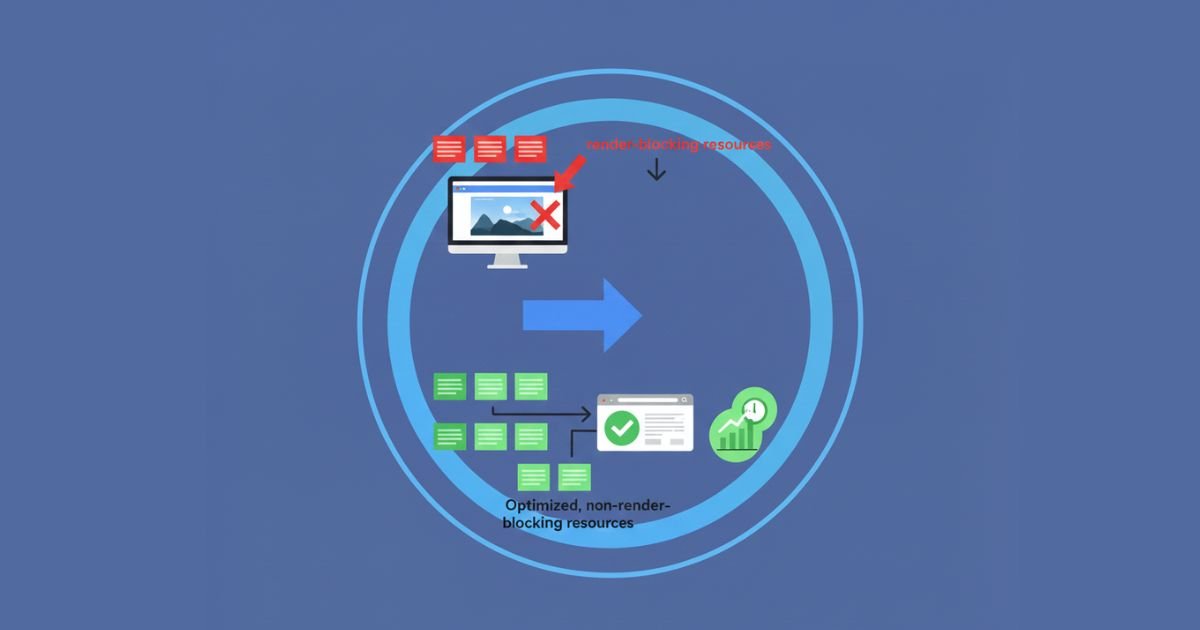
What Are Render Blocking Resources
Render blocking resources are files that stop the browser from displaying content until they are fully loaded. These often include CSS files and synchronous JavaScript. When these resources load slowly, your page becomes visually delayed and users experience a blank screen for longer. Managing these files effectively helps the browser paint above the fold content quickly, which improves user satisfaction and search performance.
How Render Blocking JavaScript Affects Page Load
Render blocking JavaScript pauses the rendering process until the script finishes loading and executing. If these scripts are large or involve complex processing, they slow down the appearance of key elements. This increases metrics like LCP and delays interactivity. Moving unnecessary scripts below the fold, using async loading, or breaking large scripts into smaller parts helps the page render faster.
Deferring JavaScript and CSS
Deferring JavaScript and CSS allows non essential files to load after visible content appears. When you defer scripts, the browser displays above the fold content first before processing background files. This helps improve initial load speed and prevents unnecessary delays. Deferring also reduces strain on the main thread, which supports faster interactions and stronger performance metrics.
Inline Critical CSS for Faster Rendering
Inline critical CSS places essential styles directly within the HTML markup. This lets the browser render important elements without waiting for an external stylesheet. It improves early visual load times and reduces the time required to complete the first paint. By keeping only required styles inline and loading the full stylesheet later, you achieve a balance between speed and maintainability.
Critical Path Rendering
Critical path rendering is the sequence through which the browser loads and displays visible content. Optimizing this path helps speed up early rendering and improves user experience.
Non Render Blocking CSS
Non render blocking CSS allows style files to load without delaying page rendering. Using media attributes or preload methods helps convert heavy CSS into non blocking assets.
Inline CSS
Inline CSS places styling rules directly inside HTML elements or within the page head. This improves initial load speed by reducing external dependencies.
JavaScript Bundling
JavaScript bundling combines multiple script files into one compressed file. It reduces total requests and speeds up loading when optimized properly.
Deferring Scripts
Deferring scripts delays their execution until the page finishes parsing HTML. This avoids blocking the rendering process and helps the page appear faster to users.
Why Image Optimization is Key to Better LCP
Image optimization plays an essential role in improving LCP because large or unoptimized images are often the biggest cause of slow loading. When images load slowly, the browser delays displaying the largest visible element on the page. This increases user wait time and affects overall page experience. By optimizing formats, reducing file size, and improving delivery methods, you help the browser show key visuals quickly. This strengthens performance, improves user engagement, and supports strong technical SEO results.
Image File Formats for Better LCP WebP and AVIF
Modern image formats such as WebP and AVIF offer high quality at much smaller file sizes. These formats compress images more efficiently, which makes them load faster. When the browser loads lighter images, the LCP element appears sooner and enhances visual performance. Using WebP or AVIF helps reduce bandwidth usage and improves rendering speed on both mobile and desktop devices.
Compressing Images Without Losing Quality
Compressing images helps reduce file size while maintaining visual clarity. Tools that support smart compression remove unnecessary data without affecting quality. By lowering image weight, you reduce loading delays and improve early visual rendering. Compressed images are especially important for hero sections where the largest content element affects LCP directly.
Responsive Images for Mobile Devices
Responsive images adjust their size based on the device being used. Smaller screens require smaller images, which means faster loading and better performance. Using responsive attributes helps the browser choose the right size automatically. This reduces unnecessary data consumption and improves LCP for mobile users, where speed is often more critical.
Using Lazy Loading for Non Essential Images
Lazy loading delays the loading of images that are outside the initial viewport. The browser loads only the visible images first, allowing the main content to appear quickly. This technique improves early rendering and helps strengthen LCP. Lazy loading also reduces unnecessary bandwidth usage because non essential images load only when the user scrolls down.
Image Compression
Image compression reduces file size by removing unnecessary data while keeping visuals clear. It improves loading speed and strengthens LCP performance.
WebP Format
WebP is a modern image format that provides high quality with significantly smaller file sizes. It helps reduce load times and improves early rendering.
Responsive Images
Responsive images automatically adjust to different screen sizes. They help deliver the right resolution for each device, improving mobile load speed.
Image Retention
Image retention refers to preserving visual quality after compression or format conversion. Good optimization maintains clarity while keeping file size small.
Lazy Image Loading
Lazy image loading delays loading images that are not immediately visible. It improves loading speed for top page content and supports better LCP metrics.
Next Gen Image Formats
Next gen image formats include WebP and AVIF. They provide superior compression and help websites load visual content quickly for better performance.
The Role of JavaScript in Core Web Vitals
JavaScript plays an important role in shaping website performance, especially for metrics like LCP, INP, and CLS. Heavy or unoptimized scripts slow down rendering, delay interactions, and increase layout shifts. When the browser spends too much time processing JavaScript, it cannot paint visual content or respond to user actions quickly. By optimizing script size, reducing unused code, and loading only what is required, you create a smoother and faster experience. This leads to stronger Core Web Vitals and better technical SEO performance.
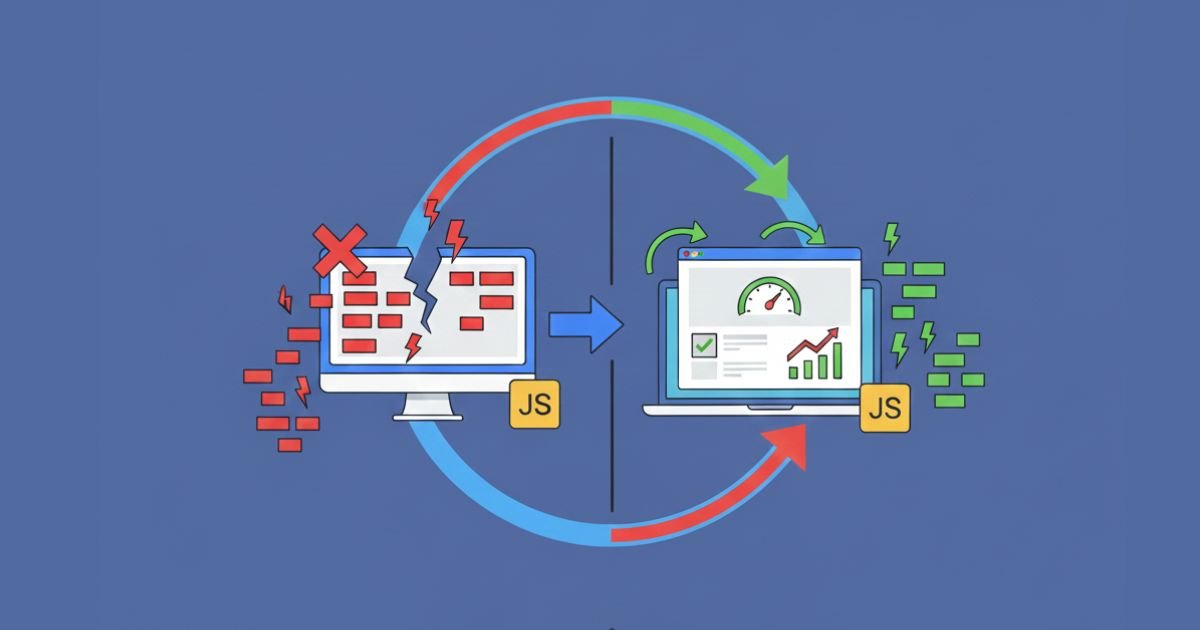
How JavaScript Affects Core Web Vitals
JavaScript affects Core Web Vitals by influencing how quickly a page loads, how stable the layout remains, and how fast interactions occur. Large scripts block rendering, which slows LCP. Heavy processing on the main thread delays interaction, which affects INP. Improper script behavior can also trigger layout shifts and harm CLS. Controlling script execution time and reducing unnecessary tasks helps maintain a fast and stable experience.
Optimizing JavaScript for Faster Loading
Optimizing JavaScript includes minimizing code weight, removing unused functions, and prioritizing essential scripts. When scripts are lighter, the browser processes them quickly and delivers content sooner. Moving non essential scripts to the bottom of the page helps load key elements first. This improves responsiveness and supports better loading performance across all device types.
JavaScript Minification and Bundling
Minification removes unnecessary characters like spaces and comments to reduce file size. Bundling combines several scripts into a single file to minimize requests. These two methods help shorten loading time and improve rendering speed. When used correctly, they help reduce delays that affect LCP and allow the main thread to stay available for interactions.
Deferring Non Essential JavaScript
Deferring non essential JavaScript allows the browser to load key page elements before processing background scripts. This improves initial load performance and prevents delays in visual rendering. Deferred scripts run only after the main content loads, which helps boost LCP and reduces strain on the main thread. It also supports better interactivity and smoother user flow.
JavaScript Minification
JavaScript minification reduces file size by removing extra characters and comments. Smaller files load faster and improve page performance.
Code Splitting
Code splitting breaks large script bundles into smaller parts. This allows the browser to load only the code needed for each page, improving efficiency.
Tree Shaking
Tree shaking removes unused code during the build process. It helps reduce bundle size and speeds up loading.
Non Essential JavaScript
Non essential JavaScript includes scripts that are not required for initial content rendering. Deferring them helps the browser focus on important tasks first.
Deferred JavaScript
Deferred JavaScript loads only after the main HTML is parsed. It prevents blocking issues and supports faster rendering of visible content.
Using Lazy Loading to Improve Page Load Times
Lazy loading is an important technique for improving overall page load times because it allows the browser to load only the visible parts of a page first. This reduces the initial workload on the browser and helps important elements appear quickly. Lazy loading also supports Core Web Vitals by improving metrics such as LCP and FCP. When heavy resources load only when needed, the page becomes lighter, faster, and more responsive. This creates a smooth browsing experience and strengthens your website performance.
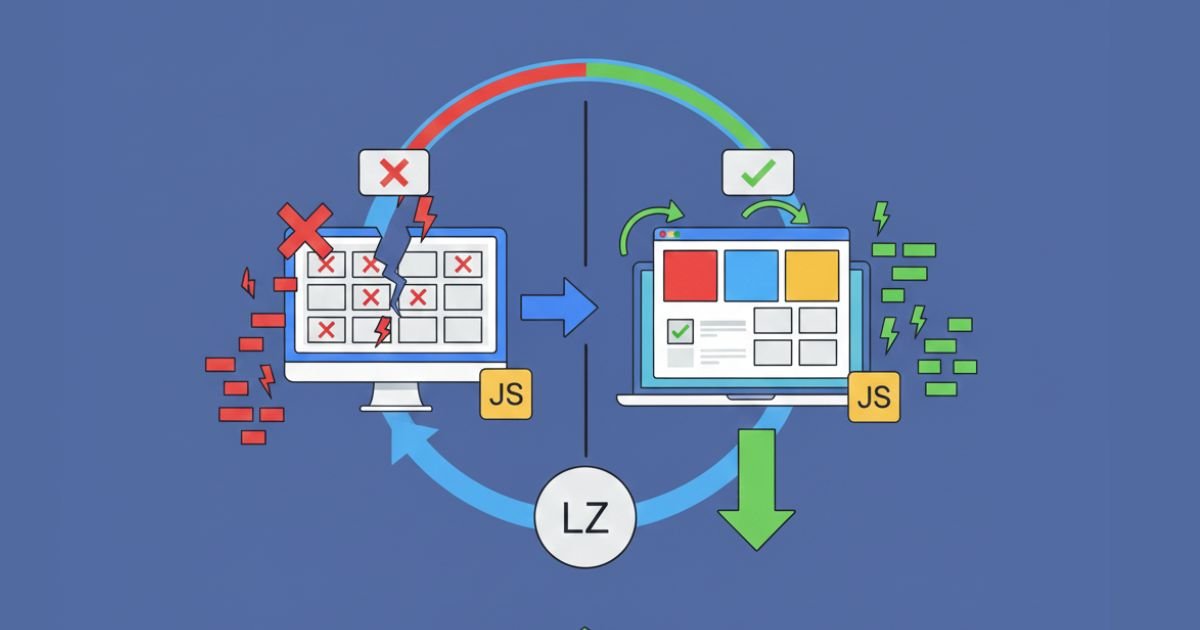
What Is Lazy Loading
Lazy loading is a method that delays loading certain resources until the user scrolls to the relevant area. Instead of loading every image, video, or iframe at once, the browser focuses on what the user sees immediately. This reduces initial load time and makes above the fold content appear faster. It also prevents unnecessary data usage, especially on mobile devices.
Benefits of Lazy Loading for LCP and FCP
Lazy loading improves LCP by allowing the main content to appear sooner. Since the browser does not need to load non essential resources immediately, it displays the largest visible element with less delay. It also improves FCP because the first paint happens quicker when fewer resources compete for bandwidth. With faster visual rendering, users stay engaged and enjoy a smoother browsing experience.
Best Practices for Implementing Lazy Loading
Effective lazy loading requires proper configuration to ensure that visible elements load at the right time. Using built in loading attributes helps simplify implementation. Avoid lazy loading important content that appears above the fold, as this may increase LCP. Test the feature across different devices to confirm that content appears at the correct moment. Regular monitoring ensures that lazy loading stays efficient and does not affect usability.
Lazy Loading for Images and Iframes
Images and iframes benefit the most from lazy loading because they often require significant bandwidth. Lazy loading images ensures that only visible visuals load first, reducing initial weight. Lazy loading iframes helps delay video embeds and other external content that normally slows rendering. When used correctly, both elements contribute to faster page load times and improved Core Web Vitals.
Image Lazy Loading
Image lazy loading delays the loading of images until they appear inside the viewport. It improves performance by reducing data usage during initial rendering.
Asynchronous Loading
Asynchronous loading allows files to load without blocking HTML parsing. It helps the browser continue rendering while resources load in the background.
Deferred Loading
Deferred loading delays the execution of scripts until the browser finishes parsing the main content. It prevents delays during early rendering and improves initial load times.
Non Essential Resource Loading
Non essential resource loading focuses on delaying assets that are not required for the first view. This reduces the amount of initial data the browser must process.
Lazy Loading Iframes
Lazy loading of iframes delays embedded content such as videos and external widgets. This helps reduce load time and improves overall performance metrics.
Optimizing Web Fonts for Faster Page Load
Optimizing web fonts is an important part of improving page load speed and enhancing Core Web Vitals. Since fonts often load before text becomes visible, slow delivery can delay key metrics such as LCP and FCP. As a result, when the browser waits for fonts, users may see blank text or sudden text shifts. By reducing font weight, preloading essential files, and choosing efficient loading strategies, you ensure that content appears quickly and consistently. Ultimately, this supports a smooth user experience and strengthens technical SEO performance.
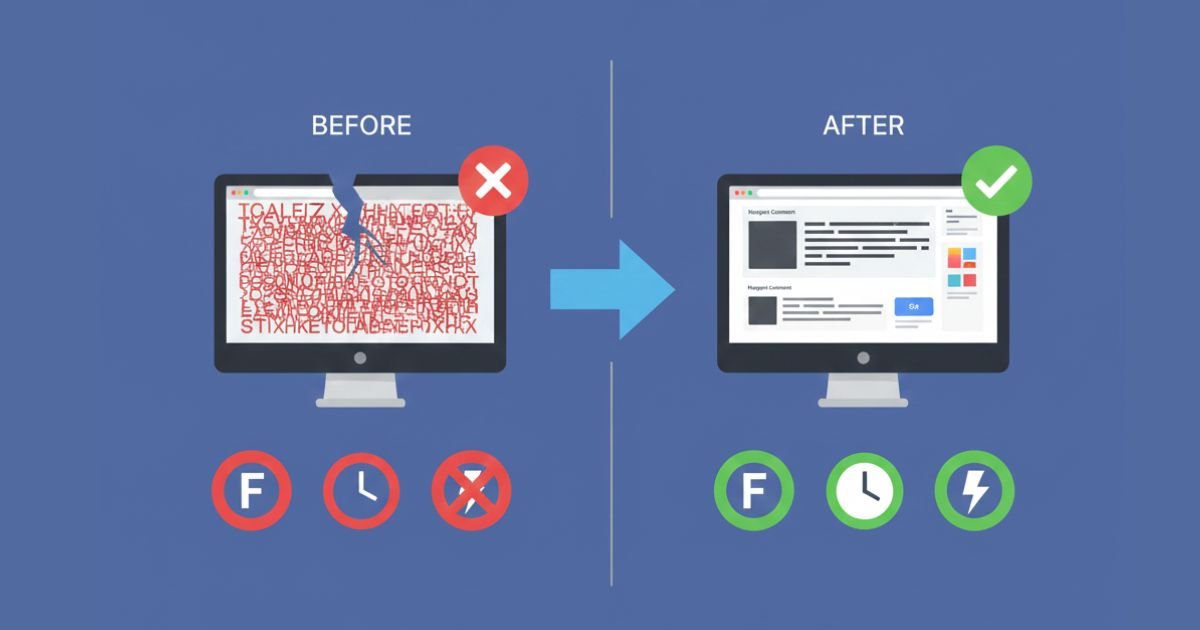
Reducing Web Font Load Time
Reducing web font load time helps the browser display text without delay. Selecting only the weights and styles you need keeps font files small and efficient. Compressing fonts or using modern formats also reduces file size. When fonts load faster, text appears sooner and helps improve early rendering. This supports stronger LCP and improves the visual flow of the page.
Preloading Fonts for Faster Access
Preloading fonts tells the browser to prepare important font files early in the loading process. This ensures that text displays quickly without waiting for late downloads. Preloading works well for above the fold content where fast visibility matters. By providing an early hint, you reduce font delays, decrease visual instability, and ensure text appears smoothly.
Font Display Swap to Avoid FOIT and FOUT
Font display swap allows the browser to show fallback text while the main font loads. This prevents blank text, also known as the flash of invisible text. It also reduces sudden shifts caused by unstyled text. Using the swap property keeps pages readable from the start and improves the perception of loading speed. It also supports better Core Web Vitals by reducing layout movement and improving visual stability.
Using Font Subsets for Performance
Font subsetting removes unused characters from font files to reduce file size. Many websites do not need the full character range, so using subsets helps streamline performance. Smaller subsets download faster and allow text to display sooner. This improves early rendering and supports better LCP performance.
Font Display Swap
Font display swap shows fallback text while the preferred font loads. It prevents blank text and improves perceived load time.
Web Font Loading
Web font loading refers to how browsers download and apply fonts. Optimizing this process improves text visibility and enhances performance.
Font Subsetting
Font subsetting removes unused characters to create smaller, faster loading font files. This helps reduce delays during initial rendering.
CSS Font Loading
CSS font loading involves managing how stylesheets load and apply fonts. Proper control ensures consistent text rendering and faster visibility.
Font Rendering
Font rendering is the process of drawing text on screen. Efficient rendering supports smooth display and reduces visual delays.
How to Handle Font Loading to Avoid CLS
Handling font loading correctly is essential for preventing layout shifts and improving Core Web Vitals. When fonts load slowly, the browser may display fallback text first and then replace it later with the final font. This can shift elements on the page and affect CLS. By controlling how fonts load, preloading essential files, and using smart display settings, you maintain visual stability and create a smoother experience. Proper font loading supports both user satisfaction and strong technical SEO performance.

Causes of CLS from Font Loading
Font loading causes CLS when fallback fonts have different spacing or sizing than the final font. As the browser switches fonts, text moves slightly, creating a layout shift. Delayed font downloads increase this problem by extending the time before the correct font appears. Large or unoptimized font files also increase loading delays and affect visual stability.
Using Font Display Swap to Minimize Layout Shifts
Font display swap allows the browser to show fallback text immediately while the main font loads in the background. This prevents invisible text that would delay content visibility. It also reduces layout shifts because users see readable text right away. When the final font replaces the fallback, the swap occurs smoothly and helps maintain stability across the page.
Preloading Web Fonts for Faster Load Times
Preloading fonts tells the browser which font files are important and should be loaded early. As a result, essential text styles are ready when the page renders. Moreover, faster access to fonts reduces the need for fallback text and minimizes spacing changes that can cause CLS. In turn, preloading improves overall readability and supports a polished visual experience.
Best Practices for Font Loading
Font loading best practices include choosing lightweight font formats, using subsets, and reducing unnecessary styles. Additionally, combining preload hints with display swap creates a balanced loading strategy. However, avoid loading too many font families because this increases weight and delays rendering. Finally, testing fonts on multiple devices ensures consistent performance and stable layout behavior.
Font Subsetting
Font subsetting removes unneeded characters to reduce file size. Smaller fonts load faster and help maintain layout stability.
CSS Font Optimization
CSS font optimization focuses on improving how fonts are loaded and applied through stylesheets. It enhances performance and reduces visual delays.
Render Blocking Fonts
Render blocking fonts delay page rendering because the browser waits for the font files to load. Reducing these blocks helps improve speed and reduce CLS.
Font FOUT and FOIT
FOUT refers to the flash of unstyled text, while FOIT refers to the flash of invisible text. Controlling these effects prevents visual disruptions and supports stable rendering.
Font Rendering
Font rendering describes how the browser displays text on the screen. Efficient rendering improves clarity and prevents unwanted layout movement.
The Impact of Third-Party Scripts on Core Web Vitals
Third-party scripts are common on modern websites, but they can slow down loading, increase layout shifts, and hurt user experience. Moreover, when ads, analytics, social widgets, or embedded tools load at the wrong time, they increase network requests and delay important rendering steps. Therefore, understanding their impact on Core Web Vitals is essential for improving performance and maintaining strong technical SEO scores.
How Third-Party Scripts Affect LCP, FCP, and CLS
Third-party scripts delay the browser from processing your main content. As a result, heavy ads or tracking tools can push back the loading of large elements, affecting LCP. Additionally, they slow down initial rendering, which reduces FCP speed. In many cases, some scripts inject dynamic content that shifts the layout, causing CLS issues. Ultimately, faster script handling ensures better performance and improved user experience.
Minimizing the Impact of Third-Party Ads and Widgets
Ads and widgets are often necessary, but their performance cost can be reduced. For example, hosting script files locally, limiting the number of ad networks, and deferring non-essential widgets can reduce load delays. Moreover, replacing outdated or bloated services with lighter alternatives also helps improve speed and overall stability. Overall, these steps support better performance and create a smoother user experience.
Lazy Loading Third-Party Scripts
Lazy loading ensures external scripts load only when needed, instead of during the initial page render. This reduces render-blocking behavior and improves LCP and FCP. For example, chat widgets, social embeds, and tracking tools can load after user interaction. This keeps the primary content fast and responsive while still enabling full functionality.
Evaluating the Performance of Third-Party Resources
Always evaluate third-party tools using performance audits and monitoring tools. For example, Google Lighthouse, WebPageTest, and Chrome DevTools show how each script affects load times. Furthermore, removing slow scripts, replacing heavy libraries, or limiting script requests supports better Core Web Vitals performance. In addition, continuous monitoring helps maintain long-term website health.
External JavaScript
Scripts loaded from a different domain rather than your own server. These often increase network delays.
Tracking Scripts
Analytics tools that track user behavior, traffic, or conversions. Examples include analytics tags and pixel trackers.
Third-Party Widgets
Embedded tools such as chat systems, review widgets, share buttons, or social media feeds that rely on external servers.
Ad Servers
Platforms that deliver display ads to a website. They often cause high network requests and slow performance.
Script Optimization
The process of reducing script size, minimizing network requests, and improving loading behavior to boost page speed.
Reducing the Impact of Ads on Page Load
Ads are a major reason many websites struggle with slow performance. They add extra scripts, call external servers, and sometimes load late, causing layout shifts. These issues directly affect key metrics such as LCP and CLS, leading to a poor user experience. By optimizing how ads load and reducing unnecessary scripts, websites can maintain monetization while keeping page speed stable for users.
How Ads Impact LCP and CLS
Ads can slow LCP because they compete for network priority. Heavy scripts delay the loading of primary content, like hero images or text blocks. Ads also cause CLS when they load suddenly and push content down. Using fixed-size containers, reserving proper ad slots, and reducing dynamic ad injections help stabilize layouts and improve user experience.
Implementing Asynchronous Ad Loading
Asynchronous loading ensures ad scripts do not block the main thread. This method allows the browser to load content first and process ads afterward. When ads load independently, the page displays faster, improving LCP and FCP. Asynchronous loading is essential for websites using multiple ad networks or tracking systems that often slow performance.
Preloading Critical Resources for Ad Services
Preloading important ad-related files such as CSS, JavaScript, or fonts prepares the browser early. This reduces waiting time once ads begin loading. Preloading improves ad responsiveness but must be used carefully to avoid giving ads higher priority than main content. When balanced well, it supports better performance without harming user experience.
Managing Ad Scripts for Better Performance
Managing ad scripts includes limiting unnecessary networks, reducing the number of placements, and avoiding redundant tracking tags. Many websites slow down because of outdated or duplicate ad providers. Using a lightweight tag manager and conducting regular performance audits helps maintain stable load times. Simplifying ad scripts supports faster rendering and smoother browsing.
Ad Loading Optimization
Ad loading optimization improves how ads load to prevent delays and layout issues. This includes using asynchronous loading, reserving fixed ad space, reducing heavy ad networks, and eliminating unnecessary scripts. When ads load efficiently, the page avoids blocking behavior and maintains better LCP and CLS performance.
Asynchronous Ad Scripts
Asynchronous ad scripts load independently from the main page, preventing interruptions in rendering. This method helps the browser load content faster and allows ads to appear afterward. Asynchronous loading reduces blocking, improves Core Web Vitals, and provides smoother navigation for users.
Ad Server Optimization
Ad server optimization focuses on improving how quickly ad servers respond to requests. Faster servers reduce delays and speed up the delivery of scripts and creatives. Optimized servers help ads load without harming page performance and support more stable Core Web Vitals.
Web Ad Management
Web ad management includes controlling placements, networks, tracking tags, frequency, and script behavior. Proper management avoids overloaded pages filled with heavy scripts. It supports balanced monetization and performance by ensuring ads do not slow down the website.
Ad Script Performance
Ad script performance measures how efficiently ad-related scripts load and run. High-performance scripts reduce blocking, load quickly, and avoid layout shifts. Monitoring performance helps identify slow networks, outdated tags, or heavy trackers affecting page speed.
How to Measure and Monitor Core Web Vitals
Measuring and monitoring Core Web Vitals is essential for maintaining strong performance and search visibility. These metrics help you understand how users experience your website in real time. By using reliable testing tools, collecting field data, and tracking improvements, you can ensure that issues are identified quickly and resolved before they affect rankings. Regular monitoring supports ongoing technical SEO, website optimization, and long term performance stability.
Tools for Measuring Core Web Vitals (PageSpeed Insights, Lighthouse)
Tools such as PageSpeed Insights and Lighthouse allow you to analyze real user data and lab test performance. These tools show detailed metrics for LCP, INP, and CLS and offer suggestions for improvements. PageSpeed Insights uses field data from Chrome User Experience Reports while Lighthouse runs lab simulations. Both are valuable for identifying problems and understanding how your website behaves on different devices and networks.
Tracking Core Web Vitals Over Time
Tracking Core Web Vitals over time helps you understand long term performance trends. It also shows how changes to content, design, hosting, or scripts affect user experience. Regular tracking reveals whether optimizations are working and highlights new issues before they become serious. This method ensures continuous improvement and supports strong mobile SEO, technical SEO, and overall page experience.
How to Interpret Core Web Vitals Reports
Interpreting reports means understanding what each metric represents and why it matters. For example, a high LCP score may mean slow image loading while poor INP could reflect heavy JavaScript. CLS reports show layout shifts caused by images, ads, or fonts. By learning how to read these reports, you can create targeted strategies that improve performance and meet Google quality thresholds.
Setting Up Alerts for Core Web Vitals Performance
Setting up alerts ensures you are notified when performance drops below recommended levels. Alerts can be created through monitoring tools, analytics platforms, or performance dashboards. These notifications help you take action quickly before ranking or user experience is affected. Alerts are useful for large websites that frequently update content or rely on third party resources that may slow performance unexpectedly.
Google PageSpeed Insights
Google PageSpeed Insights provides both field data and lab data to evaluate website performance. It highlights Core Web Vitals results and recommends optimizations to improve loading speed and visual stability.
Lighthouse
Lighthouse is an automated auditing tool built into Chrome DevTools. It analyzes performance, accessibility, SEO, and Core Web Vitals through simulated tests. It is ideal for developers and technical SEO audits.
Web Vitals Chrome Extension
The Web Vitals Chrome Extension measures key metrics directly in the browser as you interact with a page. It gives real time results for LCP, INP, and CLS and is useful for quick performance checks.
GTmetrix
GTmetrix provides detailed performance reports that combine Lighthouse data with waterfall graphs. It helps identify heavy scripts, slow servers, and rendering issues that affect Core Web Vitals.
SpeedCurve
SpeedCurve tracks website performance over time using real user data. It measures Core Web Vitals, visual trends, and detailed speed metrics, making it ideal for long term monitoring and optimization.
Core Web Vitals and SEO Rankings
Core Web Vitals have become an essential part of modern SEO strategies. These metrics help Google understand how users experience your website and how smoothly the content loads, interacts, and displays. When your Core Web Vitals are strong, your website sends clear quality signals that support better visibility in search results. Improving these metrics strengthens overall SEO performance, enhances user satisfaction, and supports long term growth.
The Connection Between Core Web Vitals and SEO
Core Web Vitals connect directly to SEO because they reflect real user behavior. Slow loading, delayed interactions, and layout shifts lead to higher bounce rates, lower engagement, and reduced conversions. Google wants to rank websites that provide a positive experience. When your Core Web Vitals are optimized, your site performs better on both mobile and desktop, which contributes to stronger search outcomes and improved organic visibility.
How Google Uses Core Web Vitals in Search Rankings
Google uses Core Web Vitals as part of its evaluation process to measure page experience. These metrics act as signals that show whether your website is easy to use and fast to navigate. Although content quality and relevance remain the top ranking factors, Core Web Vitals influence how competitive your pages are against similar websites. Strong metrics help your pages stand out in search results.
Core Web Vitals as a Ranking Signal in Google Search
Core Web Vitals function as an official ranking signal that supports Google’s goal of rewarding websites that deliver excellent user experiences. While not the only factor, they work alongside mobile friendliness, HTTPS, and safe browsing to strengthen search visibility. Good performance signals help your pages maintain ranking stability even during algorithm updates focused on user satisfaction and page experience.
Improving Core Web Vitals to Boost SEO Performance
Improving Core Web Vitals leads to faster page loads, better interactive experiences, and stable visual layouts. These enhancements reduce bounce rates and increase engagement, which indirectly supports stronger SEO results. By optimizing images, reducing JavaScript execution, improving server response time, and eliminating layout shifts, your website can achieve better rankings and attract more organic traffic. These improvements also help build trust with users.
SEO Performance
SEO performance measures how well a website ranks, how much organic traffic it receives, and how effectively users interact with the content. Strong performance comes from technical health, high quality content, and optimized page experience.
Search Engine Optimization (SEO)
Search Engine Optimization focuses on improving a website’s visibility in search engines. It includes on page SEO, off page SEO, technical SEO, and user experience improvements like Core Web Vitals.
Google Search Algorithm
The Google Search Algorithm decides how pages are ranked. It evaluates relevance, quality, user experience, page speed, authority, and Core Web Vitals to determine where your content appears in search results.
SEO Ranking Factors
SEO ranking factors include content quality, backlinks, mobile friendliness, page speed, Core Web Vitals, HTTPS, and user engagement. These factors work together to help Google decide which pages deserve higher rankings.
User Experience and SEO
User experience influences SEO by affecting engagement, bounce rate, and satisfaction. A smooth, fast, and stable website performs better in search because it aligns with Google’s goal of delivering user friendly results.
Why You Should Prioritize Web Performance
Prioritizing web performance is essential for any website that wants higher engagement, stronger SEO results, and better conversion rates. Fast loading pages hold user attention and reduce frustration while slow pages increase bounce rates and weaken trust. Improving performance helps create a smooth browsing experience that supports long term growth. Strong Core Web Vitals strengthen your technical foundation and make your website more competitive in search results.
The Importance of Speed for User Experience
Speed plays a major role in how users feel when they visit your website. A fast page creates a welcoming first impression and encourages users to explore deeper. Quick access to content improves satisfaction and reduces the chance of abandonment. Users expect websites to load instantly on both mobile and desktop. When speed becomes a priority, the overall user experience improves, resulting in higher engagement and longer session duration.
The Link Between Speed and Conversion Rates
Speed directly influences conversion rates because users are more likely to take action when a website responds quickly. Even small delays reduce the likelihood of completing forms, purchases, or sign ups. Faster websites support better conversion rate optimization by minimizing friction during customer journeys. When users find information without waiting, they trust the website more. This trust leads to higher conversions and increased business growth.
How Slow Websites Impact SEO Rankings
Slow websites struggle with visibility because search engines value strong user experience signals. Longer load times increase bounce rates and reduce engagement, which can negatively affect rankings. Poor LCP, INP, and CLS scores signal performance issues that weaken your page experience score. When your website loads slowly, competitors with better performance gain an advantage. This makes consistent web performance optimization necessary for maintaining strong SEO rankings.
Benefits of Improving Core Web Vitals for Your Website
Improving Core Web Vitals leads to a healthier website that performs better on multiple fronts. As a result, users enjoy smoother interactions, faster loading content, and stable layouts. Furthermore, these improvements support stronger SEO performance and higher conversion rates. In addition, a well optimized website reduces resource waste, improves mobile accessibility, and builds trust with visitors. Over time, this results in better engagement, increased traffic, and stronger brand reputation.
Conversion Rate Optimization (CRO)
Conversion Rate Optimization focuses on improving elements of a website to encourage more users to complete desired actions. Faster loading speeds support CRO because they reduce frustration and improve flow through important pages.
Page Load Time Optimization
Page Load Time Optimization aims to reduce how long it takes for a webpage to display its content. Techniques include image compression, faster servers, optimized JavaScript, and improved Core Web Vitals.
Web Performance Strategy
A Web Performance Strategy outlines the methods used to improve loading speed, interactivity, and stability. This strategy includes regular audits, monitoring Core Web Vitals, and optimizing both front end and back end resources.
User Experience (UX) and Conversion
User Experience and Conversion are closely connected because a smooth experience encourages users to take action. Clear layouts, fast responses, and stable pages help guide users through the conversion journey with confidence.
Conclusion
Optimizing font loading is essential for improving Core Web Vitals and achieving a seamless user experience. Fonts are one of the most visible elements on a webpage, and how they load can have a significant impact on Cumulative Layout Shift (CLS), First Contentful Paint (FCP), and overall page speed. By using best practices like font-display: swap, preloading critical fonts, font subsetting, and optimizing render-blocking fonts, you can minimize layout shifts and make your page load faster, resulting in a better user experience and improved SEO performance.
Implementing these strategies not only enhances the visual stability of your site but also contributes to better user engagement, reduced bounce rates, and improved conversion rates. Prioritizing font optimization as part of your overall performance strategy is crucial for maintaining a high-quality, high-performing website in today’s fast-paced digital world.
Frequently Asked Questions
What is Cumulative Layout Shift (CLS)?
Cumulative Layout Shift (CLS) refers to unexpected layout shifts during page loading. These shifts occur when elements on the page move unexpectedly, creating a poor user experience. It is an important metric in Core Web Vitals as it directly impacts visual stability.
How does font loading contribute to CLS?
Fonts that load slowly or asynchronously can cause text to either become invisible (FOIT) or be displayed with a fallback font (FOUT) until the primary font is loaded. This results in layout shifts that contribute to a high CLS score. Optimizing font loading with techniques like font-display: swap can help reduce these issues.
What is the best way to handle font loading to minimize CLS?
To minimize CLS caused by font loading, you should:
- Use font-display: swap to ensure that fallback fonts are shown until the custom font is fully loaded.
- Preload critical fonts using <link rel=”preload”> to load fonts early.
- Use font subsetting to load only the characters necessary for your page, reducing font size and load time.
What does font-display: swap do?
The font-display: swap property allows browsers to display fallback fonts while waiting for the custom font to load. Once the custom font is available, the fallback font is swapped for the intended font, reducing FOIT and FOUT, and minimizing CLS.
How does preloading fonts improve page load speed?
Preloading fonts ensures that critical fonts are loaded early in the page’s lifecycle, reducing the time it takes for the browser to render text. This helps to minimize FOIT/FOUT and allows for quicker First Contentful Paint (FCP) and Largest Contentful Paint (LCP), which are key components of Core Web Vitals.
Can system fonts reduce font loading issues?
Yes, system fonts are already installed on the user’s device, meaning they don’t need to be loaded from an external server. This reduces load times, eliminates FOIT/FOUT, and can help lower CLS by avoiding layout shifts caused by custom font loading.
What are the performance benefits of font subsetting?
Font subsetting reduces the size of font files by including only the characters used on the page. This results in faster load times, reduced render-blocking, and a smaller file size, which all contribute to improved page performance and lower CLS.
Why is CSS Font Optimization important for website performance?
CSS font optimization involves strategies like font subsetting, font-display properties, and async loading to improve how fonts are loaded and rendered. By optimizing fonts, you reduce render-blocking and minimize layout shifts, which in turn enhances user experience and Core Web Vitals scores.
How do render-blocking fonts affect page speed?
Render-blocking fonts delay the rendering of the page until the font files are fully loaded. This increases load times and can negatively impact LCP and FCP. Avoiding render-blocking fonts by using font-display: swap or preloading fonts can help speed up page load times.
How can font loading issues impact SEO?
Font loading issues like FOIT/FOUT and render-blocking fonts can negatively impact Core Web Vitals, especially CLS, which is a ranking factor for Google SEO. Improving font loading not only enhances user experience but also improves SEO by boosting Core Web Vitals scores.